
The short answer
Start with reliable internet, because every alert depends on it. Then add heat and temperature alerts, leak sensors with an automatic water shut-off, cameras that are wired and rated for the cold, and backup power for the essentials. And check your insurance: most policies still require someone to check the cottage in winter.
Internet first
Every alert, camera and remote control at the cottage depends on the internet, so start there.
Check what reaches your road
The federal National Broadband Map shows advertised service by area. It is a good planning tool, but it is approximate, accurate to within about 250 metres, so confirm with the providers for your exact address.
Starlink, done right
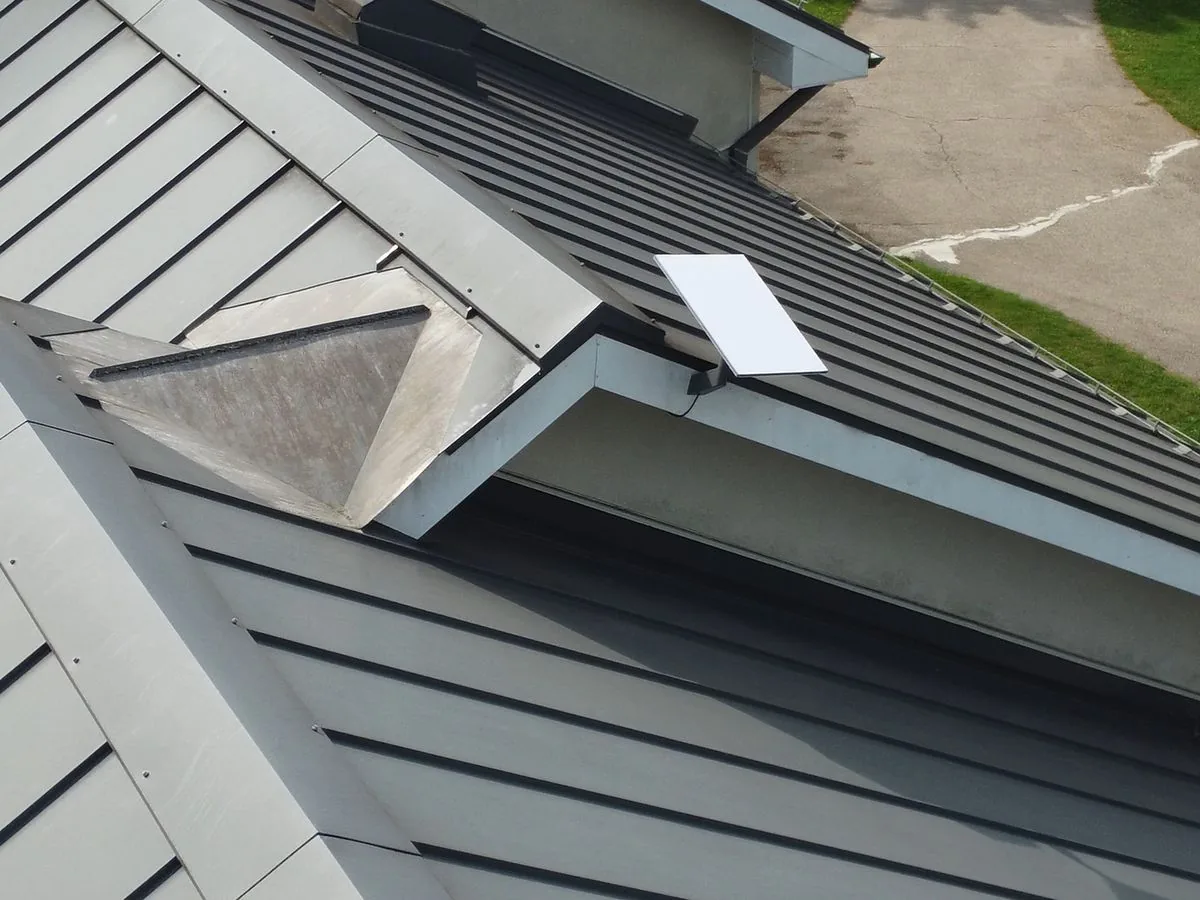
Where cable and fibre do not reach, Starlink can change everything. Three things decide how well it works:
- Availability. Check your exact address on Starlink's map. Some regions show as sold out.
- A clear view of the sky. Trees are the usual problem at cottages. Use the Starlink app's obstruction check at the exact spot and height where the dish will be mounted.
- The cold. The standard Starlink kit is rated to minus 30°C, and Environment Canada's climate normals for Muskoka show a few nights a year colder than that. Starlink's Performance kit is rated to minus 40°C.
The dish also draws power, about 75 to 100 watts on average, so it only stays online in an outage if it is on backup power. And speeds vary with location and demand; Starlink does not guarantee them.
WiFi to the dock
One router in the cottage rarely reaches the bunkie, the boathouse or the dock. Weather-rated outdoor access points, wired back to the network, carry the signal across the property. We have put working WiFi on a dock 300 feet from the cottage.
Heat and freeze alerts
- A smart thermostat you can check and adjust from the city
- Temperature sensors in the coldest spots: near pipes, the crawlspace, the water heater
- An alert if the temperature drops or the furnace stops
What temperature should you leave it at? No federal Canadian authority gives one number. Greater Sudbury, for example, advises 13°C for extended absences. Your insurer's conditions matter more than any number, so read the next sections.
Water
Water is the most common cottage disaster, and the hardest to see coming.
- Leak sensors under sinks and near the water heater, washer, sump and any appliance with a water line
- An automatic water shut-off valve. Chubb Canada recommends a flow-based device, because spot sensors cannot catch a pipe that bursts inside a wall. It needs power and a WiFi signal, and a plumber should install it
- A sump pump with battery backup, as the Insurance Bureau of Canada recommends
Cameras that survive winter
Two numbers matter on an outdoor camera, and they are often confused. The IP rating covers dust and water only. The operating temperature is what tells you whether it works at minus 30°C. Many battery cameras stop charging below freezing, which is why we prefer wired cameras, powered over their network cable, at a winter cottage.
- Cover the driveway, the doors, the dock and the boathouse
- Keep the recorder and the network equipment indoors, in a heated space
- Get alerts that matter, like a car in the driveway, not every passing branch
More on how we plan cameras.
When the power goes out
The Government of Canada's Get Prepared guidance says to be ready to look after yourself for at least 72 hours, and warns that long outages can freeze pipes. For a cottage:
- A battery backup for the internet, the router and the alarm, so alerts still go out when the power drops
- A generator only through an approved transfer switch installed by a licensed electrician. Never plug a generator into a wall outlet
- A whole home surge protector
- Carbon monoxide and smoke alarms with battery backup
Ask your insurer, in writing
The Insurance Bureau of Canada says standard policies cover damage from frozen and burst pipes when the pipes are in a heated part of the home and reasonable steps are taken to keep the heat on, but most policies set how often a competent person must check the home. Most also exclude frozen pipe damage if the home is vacant, even with the insurer's permission, and IBC advises shutting off and draining the water in a vacant home. Ask your insurer:
- How often must someone check the cottage in winter, and who counts?
- Does remote monitoring, like temperature and leak alerts, change anything?
- What counts as vacant on my policy?
- Is there a discount for an automatic water shut-off valve?
- Do I have overland flood and sewer backup coverage? Both are usually optional.
Important: smart sensors make problems visible sooner, but unless your insurer says otherwise in writing, they do not replace the in-person checks your policy requires.
Opening and closing the cottage
Closing for the season
- Test every leak sensor and the shut-off valve
- Set the heat to what your insurer requires, and confirm the alerts reach your phone
- If the cottage will be vacant, shut off and drain the water as your insurer requires
- Check that the cameras and the internet are online and on backup power
Opening in spring
- Review the alerts from the winter
- Check the dish, the outdoor access points and the cameras for winter damage
- Run updates and test the system room by room
The cottage checklist
- Confirm what internet reaches your address, and plan Starlink with a clear view of the sky
- Choose a dish rated for the cold where winters drop below minus 30°C
- Wired outdoor access points for the dock, the bunkie and the boathouse
- Smart thermostat and temperature sensors near the pipes
- Leak sensors plus an automatic water shut-off valve
- Sump pump with battery backup
- Wired cameras rated for the cold, with the recorder indoors
- Battery backup for the internet, router and alarm
- A generator only through a transfer switch installed by a licensed electrician
- Your insurer's winter conditions, in writing
A cottage in Muskoka, Collingwood or The Blue Mountains?
AVAS Automation sets up Starlink, WiFi to the dock, cameras and alerts for cottages. See our cottage work in Muskoka or Starlink and cottage WiFi.
Common questions
Will Starlink work through a Muskoka winter?
Usually, with the right setup. The standard Starlink kit is rated to minus 30°C, and Muskoka sees a few nights a year colder than that, so consider the Performance kit, which is rated to minus 40°C. Give the dish a clear view of the sky and backup power so it stays online in an outage.
Do smart sensors replace someone checking the cottage?
Not on their own. The Insurance Bureau of Canada says most policies set how often a competent person must check a home in winter. Sensors make problems visible sooner, but ask your insurer in writing whether remote monitoring changes those requirements before you rely on it.
What temperature should I leave my cottage at in winter?
There is no single federal number. Greater Sudbury, for example, advises 13°C for long absences, but your insurance policy's heat and inspection conditions are what count. Keep the heat on, add temperature alerts near the pipes, and follow your insurer's rules for vacant homes.
Will my cottage alerts work during a power outage?
Only if the internet stays up. Put the modem or Starlink, the router and the alarm on a battery backup, and choose sensors with their own batteries. Then the cottage can still tell you the power is out and the temperature is dropping, which is when you most need to know.